Configuring the VESC
There are two types of Lisp scripts provided by me.
- Master script
- Slave script
If you use single motor configuration, you can use the Master script only. If you use dual motor, then you need to install the Master script on one VESC and the slave on the other. The Slave script supports up to 255 VESCs.
Requirements
- Working VESC2X3Bridge setup with VESCs connected
- USB Cable(depending on your VESC)
- A PC with VESC TOOL
- Basic knowledge of using VESC TOOL
- Lisp script from here
Installing the Lisp script
We will install the Master script in this tutorial. The slave script will be installed the exact same way, just on another VESC connected over Canbus.
Installing the Lisp script onto your VESC
CAN Settings
Make sure to enable CAN Rate1 Status 1, 4 and 5!
ADC Settings
Set APP to use to "ADC", then the ADC tab will appear below General. Click on it and at the setting "Control Type" select "Current no Reverse Brake ADC2". Next put the Update Rate to 1000hz and Positive Ramping Time to 0,10s.
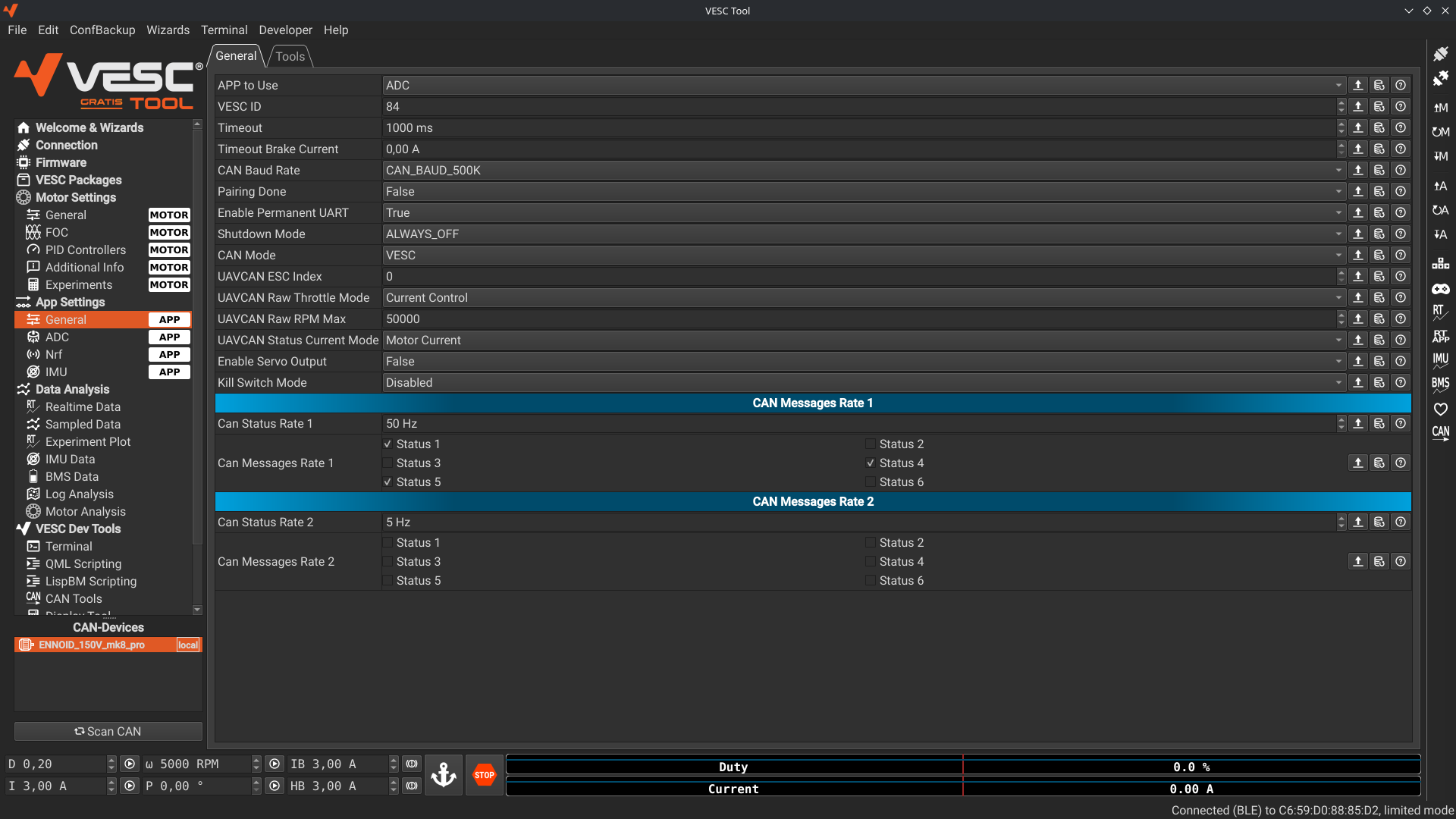
App Settings -> General
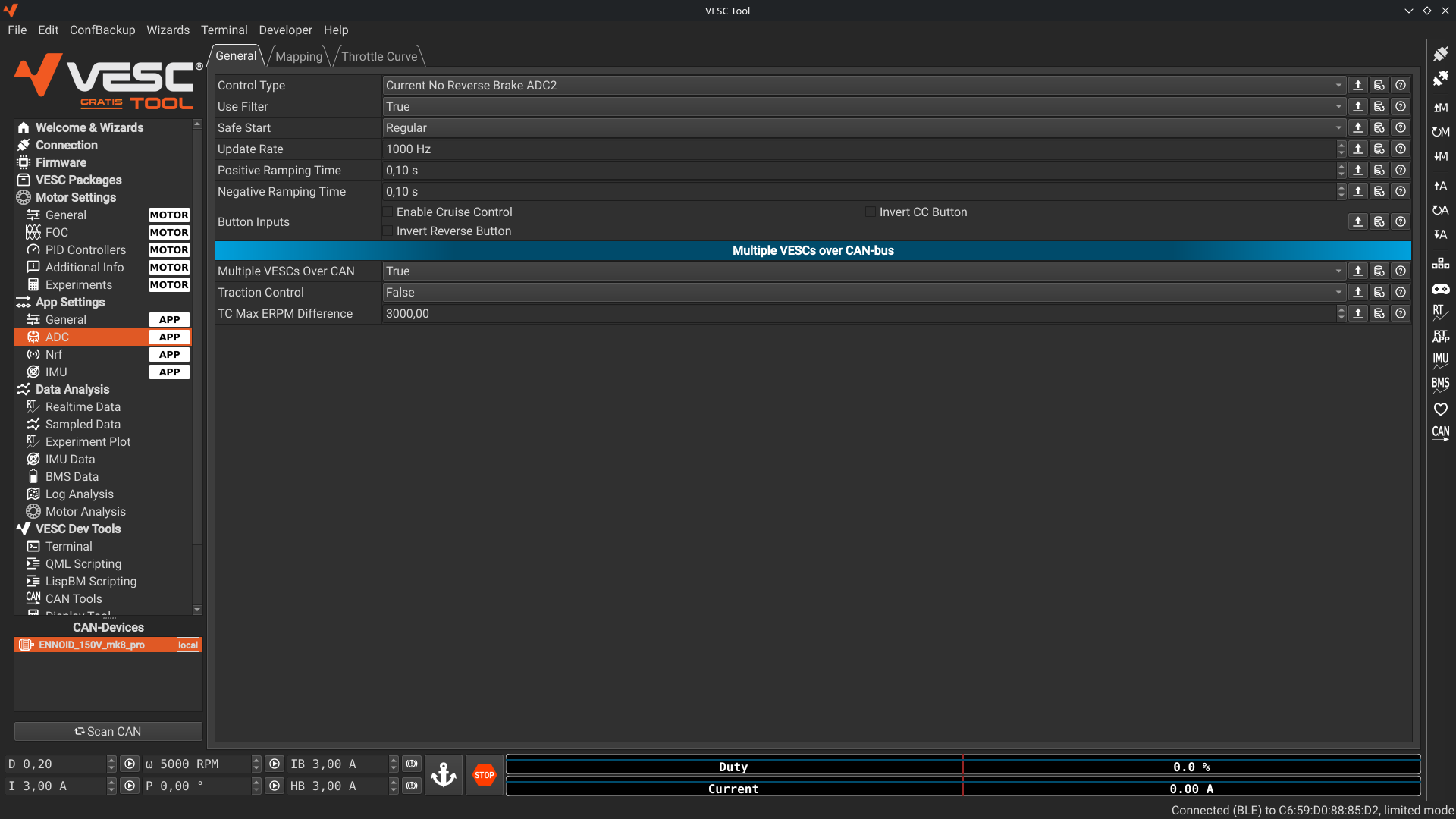
App Settings -> ADC